$146.00
$6.00
50% OFF! Hot items selling fast—Grab them before they're gone!
 Unconditional Satisfaction GuaranteeNo Shipping Fees Above 302 Months to Decide. Returns Simplified.
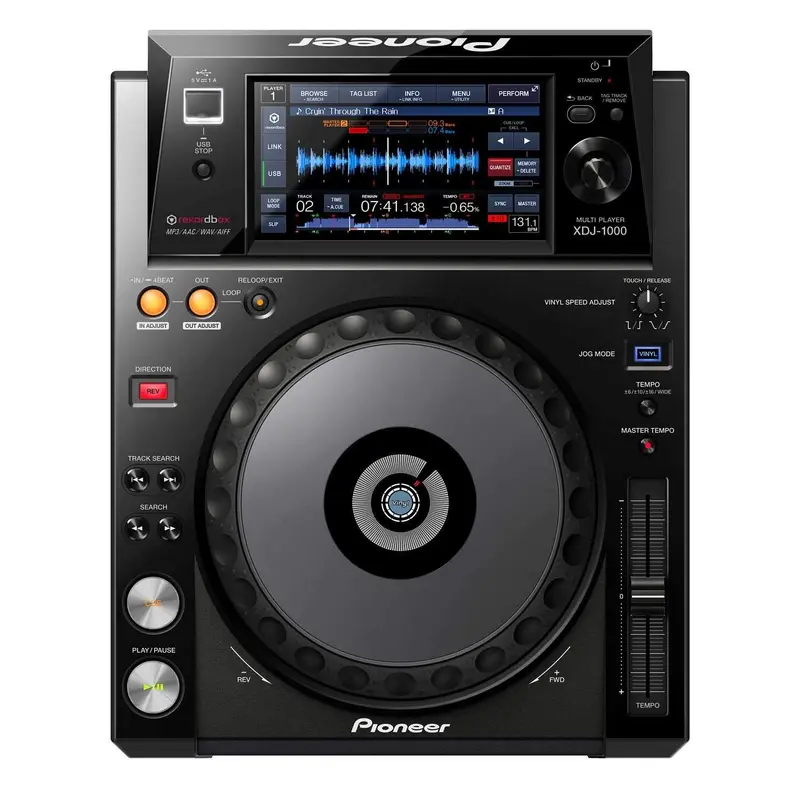
Implementing the same comprehensive layout, size, and ergonomic platter as the flagship CDJ-2000NXS professional series tabletop player, the XDJ-1000 hosts a plethora of DJ performance functions and adds the tactile element of a touch screen; more specifically, a 7-inch full-color high resolution panel display for accessing and controlling multiple features. Find and execute many commands that were previously only accessible through physical buttons for faster control, more readily-available information, and simple screen toggling. Along with the touch screen, the XDJ-1000 features a club-standard JOG wheel, PRO DJ link, rekordbox compatibility, WiFi connectivity, and much, much more!
Touchscreen Display
Use the XDJ-1000’s 7-inch touch panel display to quickly access BEAT SYNC, HOT CUE, BEAT JUMP/LOOP MOVE, and other commonly used functions with ease.
Browse – Keep seven lines of track information (album art, artist name, BPM, genre, etc.) in plain sight and adjust font size for clear visibility in the top left Browse section
Pioneer XDJ-1000
Wave and Wave Zoom – Visualize the entire song’s waveform or magnify the currently playback location with five levels of zoom at the bottom of the display
Pioneer XDJ-1000
Keyword Search – Sick of scrolling through your tracks? Use the pop-up keyboard to type in a specific song name, complete with auto-fill for faster navigation
Quantize – Set your cue points and loops perfectly on-beat with the Quantize feature, ensuring your cue points are set accurately and automatically to avoid off-beat mistakes
Beat Jump/Loop Move – Jump back or forward by a given number of beats from a playback position without breaking the rhythm of the music with the Beat Jump Function, allowing you to hop around the track by 1, 2, or 4 beats with a quick touch of the screen. Use Loop Move to move your loop playback location by 1, 2, or 4 beats.
Slip Mode – Make your transitions smooth as silk with Slip Mode, which when activated silently continues song playback during a lop, reverse, or scratch, and continues audible playback at the exact time that the loop, reverse, or scratch ends.
Prepare your music extensively and effectively with Pioneer’s rekordbox music management software, included with your investment in an XDJ-1000. Configure, edit, and save a history of music sets using this software for Mac/PC, or work on the go with the rekordbox app, enabling users to prepare and manage music on their portable devices, create playlists, cue/loop points, and beat location settings, and perform waveform analysis. For added convenience, sync the free rekordbox app, available for iOS and Android, with a PC or Mac utilizing the rekordbox software.
Pro DJ Link
Share a single music source with up to four different XDJ-1000 using Pioneer’s Pro DJ Link feature, enabling access to additional features such as:
Additional Features: