$146.00
$1.00
50% OFF! Hot items selling fast—Grab them before they're gone!
 Unconditional Satisfaction GuaranteeNo Shipping Fees Above 302 Months to Decide. Returns Simplified.
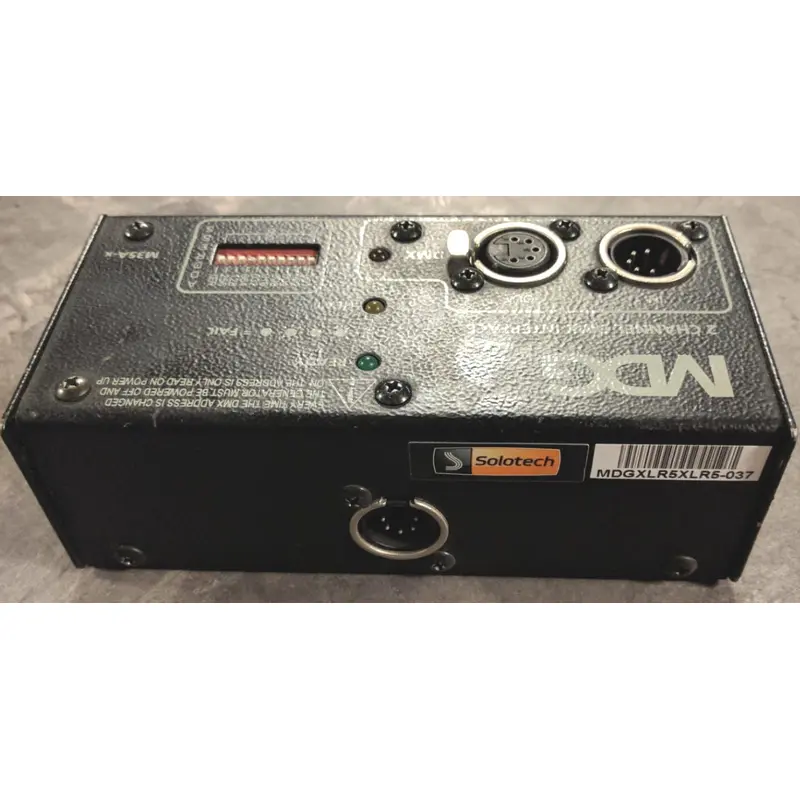
DMX INTERFACE MODEL M35A-X FOR MDG FOG GENERATORS
OPERATING INSTRUCTIONS:
To select the DMX base address, shut off the power switch or disconnect the AC line from the generator. Dial the appropriate address using the dip switch. Determine the address by adding the value of the switches you turned on. Every time you change the address you must remove and re power the generator because the address is read only on power up.
The Interface uses two (2) consecutive DMX channels
– Channel one turns the generator on or off. All values under 50% are off, over 50% youre on.
– Channel two controls the fog emission. All values over 7% wil turn the fog emission on.
LEDS Description
– Green: Fog Generator ready.
– Yellow: Fog Generator heater on, or if flashing rapidly it indicates that the generator is in a fail mode.
– Red: DMX data present.